Install MonIPTV on Any Device

Select your device below and follow the step-by-step guide to start streaming in minutes

Choose your device

Amazon Firestick / Fire TV

Using Downloader or IPTV Smarters Pro

  1. On your Firestick, go to Settings → My Fire TV → Developer Options
  2. Enable "Apps from Unknown Sources"
  3. Search for Downloader in the Fire TV App Store and install it
  4. Open Downloader and enter the URL: troypoint.com/smarters (or download IPTV Smarters Pro directly from the Store)
  5. Open IPTV Smarters Pro → Add User → Login with Xtream Codes
  6. Enter your MonIPTV credentials (username, password, server URL) received by email
  7. Tap Add User and enjoy your channels!
Recommended app: IPTV Smarters Pro — also works with TiviMate (paid) for an enhanced interface.

Android TV / Android Box

Using IPTV Smarters Pro or TiviMate

  1. Open the Google Play Store on your Android device
  2. Search and install IPTV Smarters Pro (or TiviMate for a premium UI)
  3. Launch the app and tap Add New User
  4. Select Login with Xtream Codes
  5. Enter your username, password and server URL from your MonIPTV welcome email
  6. Tap Add User — your channels and VOD will load automatically
Tip: TiviMate is highly recommended for Android TV for its beautiful EPG-integrated interface (one-time purchase).

Samsung / LG Smart TV

Using Smart IPTV or SS IPTV app

  1. On your Smart TV, open the App Store (Samsung Smart Hub or LG Content Store)
  2. Search for Smart IPTV or SS IPTV and install
  3. Launch the app — note the MAC address displayed on screen
  4. On your computer, go to the app's activation website and enter your MAC address
  5. Enter your MonIPTV M3U URL (provided in your welcome email)
  6. Restart the app on your Smart TV — your channels will load
Note: Smart IPTV requires a one-time activation fee (~$5.99). SS IPTV is free with M3U URL support.

iPhone / iPad (iOS)

Using GSE Smart IPTV or IPTV Smarters Pro

  1. Open the App Store on your iPhone or iPad
  2. Search and download IPTV Smarters Pro or GSE Smart IPTV
  3. Launch the app and select Add Playlist
  4. For Xtream Codes: enter your username, password and server URL
  5. For M3U: paste your M3U link from your welcome email
  6. Save and enjoy watching on your iOS device!
Recommended: IPTV Smarters Pro (free) provides the best experience on iOS with multi-screen support.

Windows PC / Mac

Using VLC Media Player or Perfect Player

  1. Download and install VLC Media Player (free — vlc.org) on your PC or Mac
  2. Open VLC → click Media → Open Network Stream (Ctrl+N)
  3. Paste your M3U URL from your MonIPTV welcome email
  4. Click Play — your channel list will load in the playlist
  5. Alternatively, use IPTV Smarters (Windows app) for a better interface with EPG
Best experience on PC: IPTV Smarters Web or Kodi with the PVR IPTV Simple Client add-on.

MAG Box / Formuler

Using Stalker Portal or M3U

  1. On your MAG/Formuler, go to Settings → System Settings → Servers
  2. Under Portals, enter your MonIPTV portal URL (provided in your welcome email)
  3. Save settings and restart your device
  4. The device will connect to the portal and load your channel list automatically
  5. For Formuler Z-series: use the MyTV Online 2 app with your M3U link
Note: MAG boxes use Stalker Portal. Formuler devices support both Portal and M3U. Contact support if you need your specific portal URL.

macOS (Mac)

Using IPTV Smarters or VLC

  1. Download IPTV Smarters from the Mac App Store (or install VLC from vlc.org)
  2. Open IPTV Smarters → click Add New User
  3. Choose Login with Xtream Codes
  4. Enter your username, password and server URL from your welcome email
  5. Click Add User — your channels and VOD will load automatically
  6. For VLC: go to File → Open Network… and paste your M3U URL
Best experience on Mac: IPTV Smarters provides a full EPG-integrated interface. VLC is a great free alternative for quick access.

Enigma2 / ZGEMMA

Using E2M3U2Bouquet plugin

  1. On your Enigma2 receiver, open Plugins → Plugin Browser
  2. Search for and install E2M3U2Bouquet
  3. Open the plugin and enter your MonIPTV M3U URL from your welcome email
  4. Select your country and preferred bouquet settings, then click Build Bouquet
  5. Restart the receiver — your channel list will be available in the bouquet
Alternative: You can also use the Xtream Lines Plugin for Enigma2, which supports Xtream Codes login directly. Contact our support team for assistance.

Chromecast / Google TV

Using IPTV Smarters or Tivimate

  1. On your Google TV remote, press the Google Assistant button and say "Open Play Store"
  2. Search for and install IPTV Smarters Pro (or TiviMate)
  3. Open the app and tap Add New User
  4. Select Login with Xtream Codes
  5. Enter your username, password and server URL from your welcome email
  6. Tap Add User and enjoy your channels on the big screen
Note: For Chromecast (2nd/3rd gen without Google TV), cast directly from the IPTV Smarters mobile app using the Cast button.
Free Setup Assistance

Stuck on Installation?

Our team sets up MonIPTV for you, live on WhatsApp — in under 5 minutes, on any device, any time of day.

<5min Setup time
9 Devices
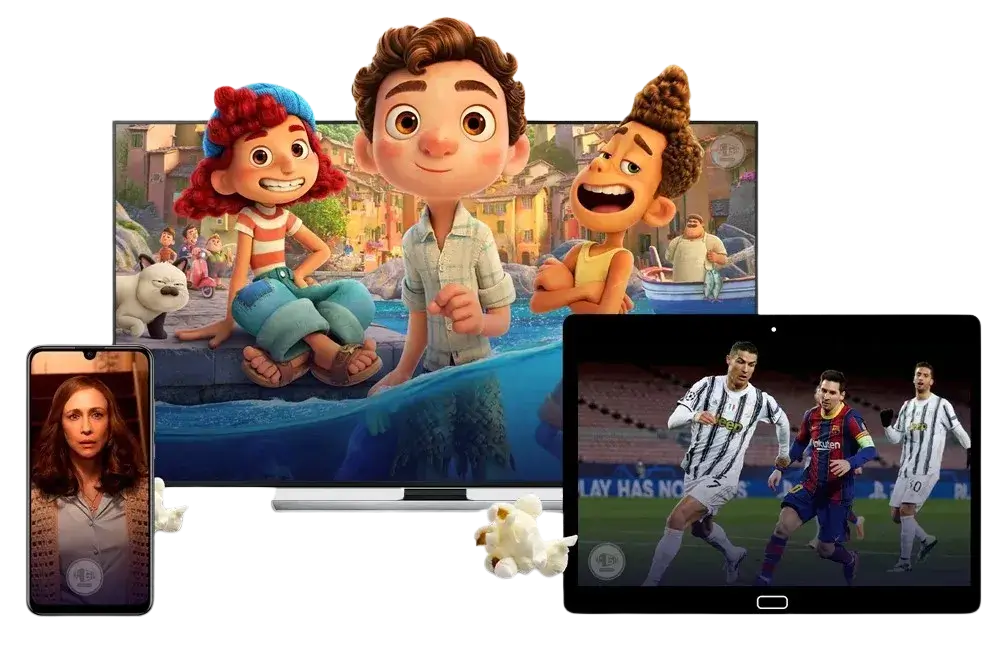
MonIPTV on all devices — Smart TV, tablet, phone